01
Pixel-perfect pages
CDP screencast frames drawn with the kitty graphics protocol. Works in ghostty, kitty, WezTerm — flicker-free double-buffered rendering.
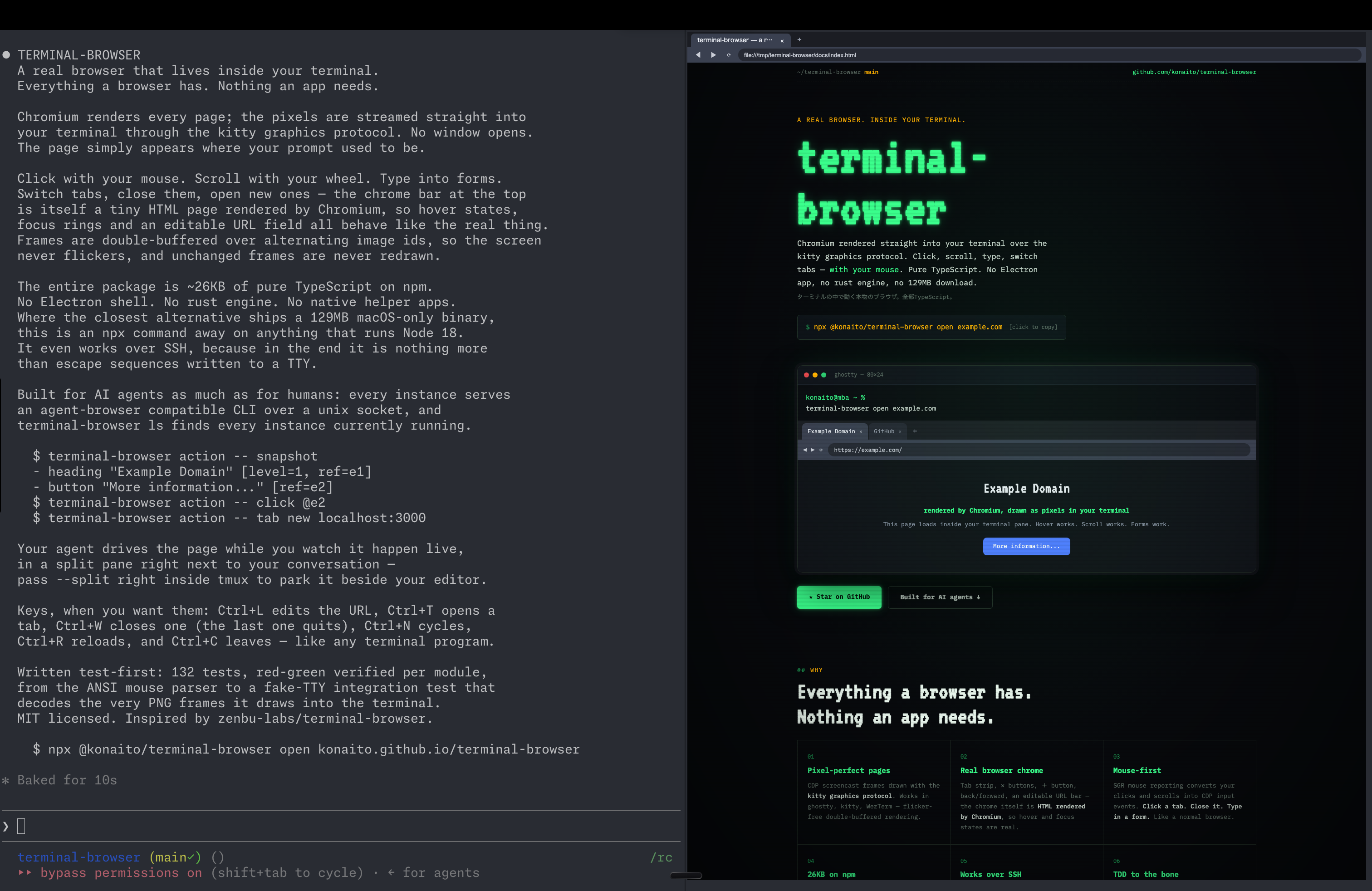
Chromium rendered straight into your terminal over the kitty graphics protocol. Click, scroll, type, switch tabs — with your mouse. Pure TypeScript. No Electron app, no rust engine, no 129MB download.
npx @konaito/terminal-browser open example.com
[click to copy]
CDP screencast frames drawn with the kitty graphics protocol. Works in ghostty, kitty, WezTerm — flicker-free double-buffered rendering.
Tab strip, ✕ buttons, + button, back/forward, an editable URL bar — the chrome itself is HTML rendered by Chromium, so hover and focus states are real.
SGR mouse reporting converts your clicks and scrolls into CDP input events. Click a tab. Close it. Type in a form. Like a normal browser.
The package is ~21KB of TypeScript. Chromium comes from puppeteer's managed download. No Electron, no rust, no swift helper apps.
It's just escape sequences on a TTY. Preview a dev server running on a remote machine without port forwarding gymnastics.
132 tests, red-green verified per module — from the ANSI parser to a full fake-TTY integration test that decodes the PNG frames it draws.
If you measure context switches in milliseconds, this is your browser. terminal-browser is built on the kitty graphics protocol and feels best in ghostty — GPU-accelerated rendering, crisp pixel frames, zero window juggling. Your prompt, your editor, your agent and the web: one pane grid, zero Cmd+Tab.
A real session: Claude Code on the left describing this project, terminal-browser on the right rendering this very page — in the same terminal window, drawn as pixels.
Every instance serves an agent-browser compatible CLI over a unix socket. An agent working in the same terminal can snapshot the page as a ref-annotated tree, click, fill, eval — while you watch it happen live in the pane next to your conversation.